
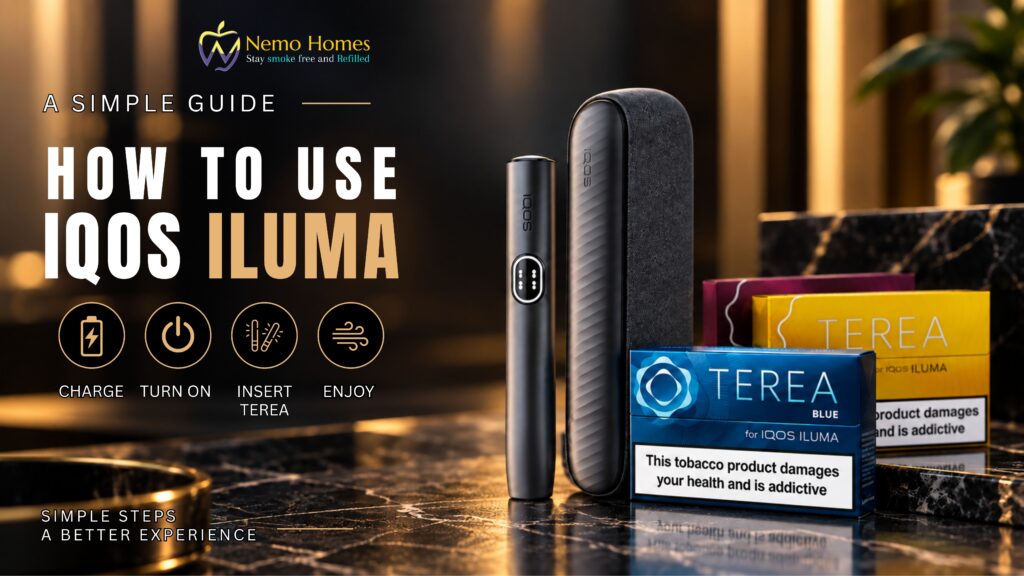
Using an IQOS ILUMA for the first time can seem a little confusing, especially if you’re unfamiliar with the Holder, Pocket Charger, status lights and TEREA sticks. Once you understand what each part does, however, the process is fairly straightforward.
This guide explains how to charge your IQOS ILUMA, start a session, understand its lights and vibrations, and recharge the Holder when you’re finished.
Before You Start: IQOS ILUMA Uses TEREA Sticks
One important thing to know before using your device is that IQOS ILUMA is designed for TEREA sticks.
TEREA sticks are made specifically for the ILUMA system and are intended for single use. Once you’ve finished a stick, remove it and use a new one for your next session.
If you have HEETS, don’t use them with IQOS ILUMA. HEETS are designed for compatible earlier-generation IQOS devices that use a heating blade.
A simple way to remember it is:
IQOS ILUMA → TEREA
Compatible blade-based IQOS devices → HEETS
Always check the instructions for your particular IQOS model before use.
Step 1: Fully Charge Your IQOS ILUMA
Before using your IQOS ILUMA for the first time, fully charge the Pocket Charger using the appropriate power adaptor and charging cable.
According to the supplied instructions, a full charge takes approximately 135 minutes.
To check the battery level, tap the button on the Pocket Charger. The status lights will show how much charge remains. If the battery level is low, connect the Pocket Charger to the power adaptor and allow it to charge.
Starting with a full battery makes it easier to become familiar with the device without having to stop and recharge immediately.
Step 2: Turn On Your IQOS ILUMA
Press and hold the button at the top of the Pocket Charger for approximately four seconds to turn the device on or off.
Next, check the status lights for the Holder.
Two lights mean the Holder is charged and ready for two uses.
One light means it has one use remaining.
No lights mean the Holder needs to be placed in the Pocket Charger and charged.
These lights provide a quick way to check whether your Holder is ready before inserting a TEREA stick.
Step 3: Insert a TEREA Stick
Gently insert a new TEREA stick into the IQOS ILUMA Holder.
IQOS ILUMA includes an Autostart feature that is enabled by default. This means inserting the TEREA stick automatically starts the preheating process.
If Autostart has been disabled on your device, press the button on the Holder to start manually.
There’s no need to reinsert or reuse a TEREA stick after a session. Each stick is intended for one use.
Step 4: Wait for the Device to Heat Up
The Holder uses a combination of lights and vibrations to tell you when it’s ready.
When you feel one vibration and see the lights slowly pulsing, the device is heating the TEREA stick.
When you feel two vibrations and the light or lights remain on, the device is ready.
Waiting for these signals makes it easy to know when the preheating stage has finished.
Step 5: Know When Your Session Is Nearly Finished
You don’t have to keep track of the session yourself.
When the Holder vibrates twice again, it means the session is nearly finished. According to the supplied instructions, you’ll have approximately 30 seconds or two puffs remaining.
Once the session has finished, simply remove the used TEREA stick.
Use a fresh TEREA stick the next time rather than reinserting the used one.
Understanding the IQOS ILUMA Holder Lights
The two round lights on the Pocket Charger help you understand the Holder’s current status.
When the lights are pulsing white, the Holder is charging.
When one round light is solid, one use is available.
When two round lights are solid, two uses are available.
If the lower light flashes yellow three times, the Holder needs to be recharged.
Once you become familiar with these signals, checking your device becomes much quicker.
How to Charge Your IQOS ILUMA
Regularly charging the Pocket Charger helps ensure your Holder is ready when you need it.
Check the Pocket Charger Battery
Tap the button on the Pocket Charger to check the remaining battery level.
If the bottom of the light strip flashes yellow three times, the battery is running low and should be charged.
Connect the Pocket Charger to the appropriate power adaptor.
If the battery has been deeply discharged, the supplied instructions note that it can take up to 20 minutes before a light pattern appears.
When the status bar is completely illuminated, the Pocket Charger is fully charged. According to the supplied guidance, a full charge can provide up to 20 experiences, depending on usage.
Recharge the Holder
After finishing your session, remove the used TEREA stick before putting the Holder back into the Pocket Charger.
The two round lights indicate its charging progress.
While the Holder is charging, the lights pulse white. Once charged, one or two solid lights indicate the number of uses available.
Can You Use HEETS With IQOS ILUMA?
No. HEETS and TEREA aren’t interchangeable.
IQOS ILUMA is designed to work with TEREA sticks. Earlier compatible IQOS devices use HEETS and a different heating system.
Trying to use the wrong stick with a device it wasn’t designed for can result in the device not working as intended.
Before buying sticks, check the exact IQOS model you own and follow the manufacturer’s compatibility guidance.
Quick IQOS ILUMA Guide
The whole process can be remembered quite easily:
Charge the Pocket Charger → Turn on the device → Check the Holder lights → Insert a new TEREA stick → Wait for the ready signal → Use the device → Remove the used TEREA → Return the Holder to the Pocket Charger
The lights and vibrations may seem unfamiliar at first, but after a few uses they become a simple way of understanding what your device is doing.
Final Thoughts
Getting started with IQOS ILUMA mainly comes down to understanding three things: charging the device, recognising the status signals and using the correct TEREA sticks.
Make sure the Pocket Charger has enough battery before you start, wait for the Holder’s ready signal after inserting a TEREA stick, and return the Holder to the Pocket Charger when it needs charging.
Most importantly, use only consumables designed for your particular device and follow the manufacturer’s instructions if you’re ever unsure about compatibility, charging or operation.
Looking for more straightforward device guides? Explore our latest guides and tips at Nemo Homes.
IQOS and TEREA are intended for adult users. Tobacco and nicotine products are not risk-free. TEREA sticks contain tobacco and nicotine, which is addictive.