
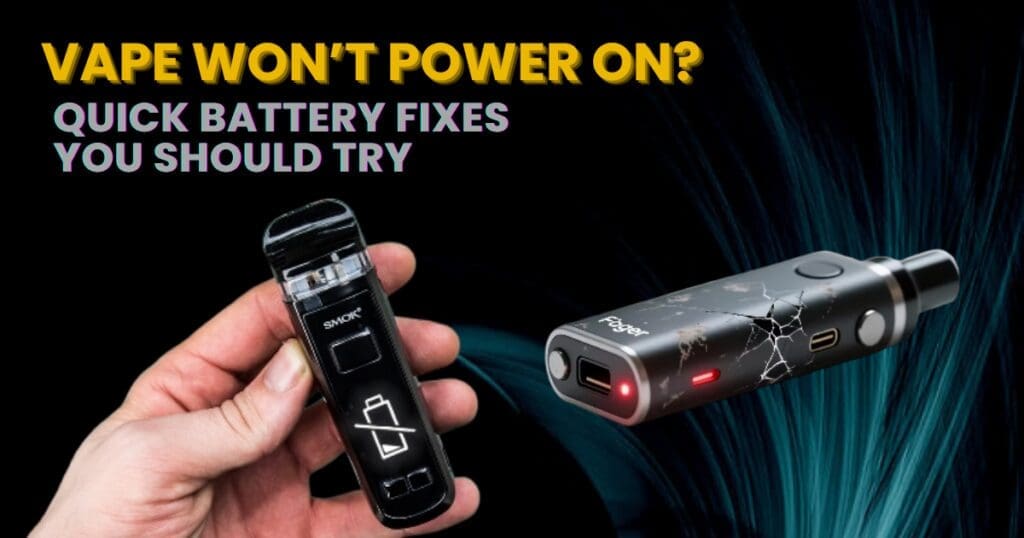
It can be frustrating when your vape suddenly refuses to turn on—especially when you’re not sure why. In many cases, the issue is related to the battery or power system, and the good news is that most of these problems are easy to diagnose and fix.
Before assuming your vape device is broken, try working through this battery troubleshooting guide. A few quick checks could save you from replacing your device unnecessarily.
1. Make Sure the Device Is Turned On
Many vape devices include a safety lock feature to prevent accidental firing in pockets or bags.
What to check
- Press the fire button five times quickly.
- Look for a screen or LED light turning on.
- If nothing happens, continue to the next step.
Sometimes the device simply needs to be powered on again.
2. Charge the Battery
A drained battery is the most common reason a vape won’t turn on.
Signs your battery needs charging
- The device does not respond when the button is pressed
- The screen flashes briefly and shuts off
- The LED light blinks repeatedly
How to fix it
- Connect your vape to the charger using the recommended cable.
- Allow the device to charge for 30–60 minutes.
- Check if the indicator light shows charging activity.
If the vape works while plugged in but turns off afterward, the battery may be worn out.
3. Check the Charging Cable and Adapter
Sometimes the issue isn’t the vape—it’s the charging equipment.
Troubleshooting steps
- Try a different USB cable.
- Use another power adapter or USB port.
- Avoid low-power charging sources such as old USB hubs.
Faulty cables are surprisingly common causes of charging problems.
4. Inspect the Charging Port
Dust, lint, or debris inside the charging port can prevent the device from charging properly.
What to do
- Inspect the port under good lighting.
- Use compressed air or a soft brush to remove debris.
- Avoid inserting metal objects into the port.
A clean charging port ensures proper power transfer.
5. Check Removable Batteries (If Your Device Uses Them)
If your vape uses external batteries, they may be the source of the problem.
Things to inspect
- Are the batteries inserted correctly?
- Are the battery wraps damaged?
- Are the batteries old or worn out?
Solution
Try replacing them with a matched pair of fully charged batteries from a trusted brand.
Never mix old and new batteries together.
6. Clean the Battery Contacts
Dirty or oxidized contacts can stop electricity from flowing properly.
How to clean them
- Remove the batteries (if applicable).
- Wipe the contacts with a dry cotton swab or cloth.
- Ensure everything is dry before reassembling.
This simple step often restores proper power flow.
7. Check for Device Lock Mode
Some vape mods have additional lock features beyond the standard five-click power system.
Common lock combinations
- Holding + and – buttons together
- Pressing the fire button multiple times
- Lock settings within the device menu
Check your device manual if you’re unsure.
8. Let the Device Cool Down
If the device overheats, its safety system may temporarily shut it down.
What to do
- Turn the vape off.
- Allow it to cool for 5–10 minutes.
- Restart the device afterward.
Overheating protection is designed to prevent battery damage.
9. Reset the Device
Electronic glitches can occasionally prevent a vape from turning on.
Reset method
For devices with removable batteries:
- Remove the batteries.
- Wait a few minutes.
- Reinsert them and power the device on.
This reset can clear minor chipset issues.
10. Signs the Battery May Be Failing
If your vape still won’t turn on, the battery may be reaching the end of its lifespan.
Warning signs
- The device loses charge quickly
- It only works while plugged in
- Charging takes unusually long
- The battery becomes excessively hot
In these cases, replacing the battery or device may be necessary.
When to Replace Your Vape Device
Consider replacing your vape if:
- It will not turn on after multiple charging attempts
- The charging port is damaged
- The battery is swollen or overheating
- The screen remains completely blank
If your device is still under warranty, contact the retailer or manufacturer before attempting repairs.
Quick Battery Troubleshooting Checklist
Before buying a new vape, try these quick checks:
- Turn the device on with five clicks
- Charge the battery fully
- Try a different charging cable
- Inspect the charging port
- Replace removable batteries
- Clean battery contacts
- Reset the device
Most vape power issues are simple battery problems that can be fixed quickly.
FAQs
Why is my vape not turning on even after charging?
The battery, charging cable, or charging port may be faulty. Try different cables and inspect the port for debris.
Can vape batteries stop working suddenly?
Yes. Batteries degrade over time and may eventually stop holding a charge.
How long do vape batteries usually last?
Most vape batteries last 6–12 months, depending on usage and charging habits.
Is it safe to keep using a failing battery?
No. If the battery overheats, swells, or shows damage, stop using it immediately.
Final Thoughts
If your vape won’t turn on, the battery is often the main culprit. Fortunately, many battery-related problems are easy to diagnose and fix with simple checks.
By following this troubleshooting guide—checking the power settings, charging equipment, battery condition, and connections—you can quickly identify the issue and get your device working again.
Regular battery care and proper charging habits can also help prevent these problems in the future.