
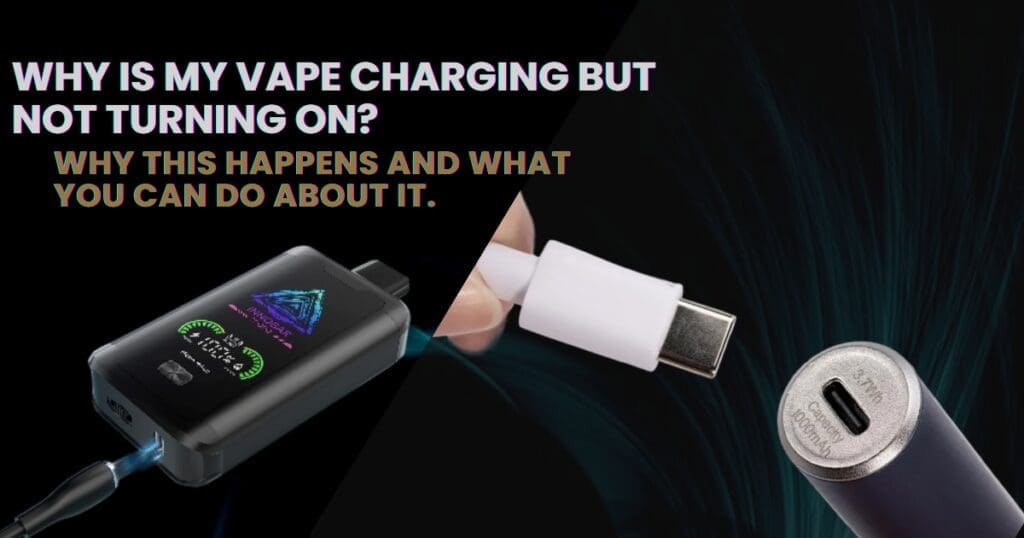
It’s a frustrating situation — you plug your vape in, the charging light comes on, but when you try to use it… nothing happens.
If your vape is charging but not turning on, don’t assume it’s broken straight away. In many cases, the issue is minor and easily fixed.
Here’s a simple guide to understanding why this happens and what you can do about it.
First: Is It Actually Powered On?
Some vape devices require five rapid clicks of the fire button to turn on.
Check This First
Press the fire button 5 times quickly.
Look for the screen lighting up or an LED flash.
Make sure the device isn’t locked (some devices use 3 or 5 clicks to lock/unlock).
It may sound obvious — but this solves more issues than you’d think.
Common Reasons Your Vape Won’t Turn On (But Charges)
1. The Battery Is Completely Drained
If the battery was fully depleted, it may need extra time before powering up.
What to Do
Leave it charging for at least 30–60 minutes.
Try turning it on while it’s still plugged in.
Lithium batteries sometimes need a short recovery period after deep discharge.
2. Faulty Charging Cable or Plug
Just because the light turns on doesn’t mean the battery is charging properly.
Signs
Charging light flickers
Battery percentage doesn’t increase
Device only works when plugged in
Fix
Try a different USB cable.
Use a wall adapter instead of a laptop USB port.
Avoid fast-charging plugs unless recommended by the manufacturer.
Low-quality cables are a common cause of charging issues.
3. The Device Is Locked
Many regulated vape mods include locking features.
Common Lock Functions
5 clicks: Power on/off
3 clicks: Adjust wattage
Hold + and – buttons: Lock adjustment
Check your device manual to confirm button combinations.
4. The Battery Has Failed
If your vape charges but won’t power on at all, the battery may be worn out.
This Is More Likely If:
The device is over a year old
It drains very quickly
It overheats during charging
Internal batteries degrade over time and eventually stop holding charge.
If your device uses removable batteries, try replacing them with a matched pair.
5. It’s a Safety Protection Lock
Some devices won’t turn on if:
There’s a short circuit
The atomizer resistance is too low
The device overheated
Try removing the tank and turning the device on without it attached.
If it powers up, the issue may be coil-related rather than battery-related.
6. Charging Port Damage
Loose or damaged charging ports can prevent proper power transfer.
Check For
Debris inside the port
Bent connectors
Loose cable fit
Clean gently with compressed air or a wooden toothpick (never metal).
7. Firmware or Internal Chipset Issue
In rare cases, the chipset may freeze.
Try This
Remove the batteries (if removable) for a few minutes and reinsert them.
Charge fully, then attempt restart.
If the screen remains blank and unresponsive, the internal board may have failed.
Quick Troubleshooting Checklist
Before assuming your vape is broken:
- Click the fire button 5 times
- Charge for at least 30–60 minutes
- Try a different cable and adapter
- Remove and reinsert batteries (if applicable)
- Remove the tank and try powering on
- Check for port damage
In many cases, the solution is simple.
When Should You Replace the Device?
You may need a replacement if:
- It won’t turn on after full charging
- The screen stays completely blank
- It only works while plugged in
- It overheats when charging
- The charging port is physically damaged
If your device is under warranty, contact the retailer or manufacturer before attempting repairs.
How to Prevent This Problem in Future
- Avoid fully draining the battery regularly
- Use the recommended charging cable
- Don’t use high-speed phone chargers unless approved
- Keep the charging port clean
- Store the device in a cool, dry place
Proper battery care significantly extends device lifespan.
FAQs
Q: Why is my vape lighting up when charging but won’t fire?
A: It may be locked, fully drained, or experiencing a coil-related safety lock.
Q: Can a vape battery die completely?
A: Yes. Lithium batteries degrade over time and eventually stop holding charge.
Q: Why does my vape only work when plugged in?
A: This usually indicates a failing internal battery.
Q: Is it safe to keep trying to turn it on?
A: If it overheats or shows warning signs, stop using it and inspect the device.
If your vape is charging but not turning on, it’s usually a battery, cable, or safety lock issue. A few quick checks can often bring it back to life — without needing a replacement.